
Cloud Object Storage vs Block Storage: Which One Do You Really Need?
Understanding the Storage Basics
When it comes to hosting infrastructure, choosing the right storage solution can make or break your application’s performance and scalability. Many organizations find themselves confused between cloud object storage and block storage, wondering which one fits their needs. The truth is, both have their place in modern infrastructure, and understanding their differences is crucial for making an informed decision.
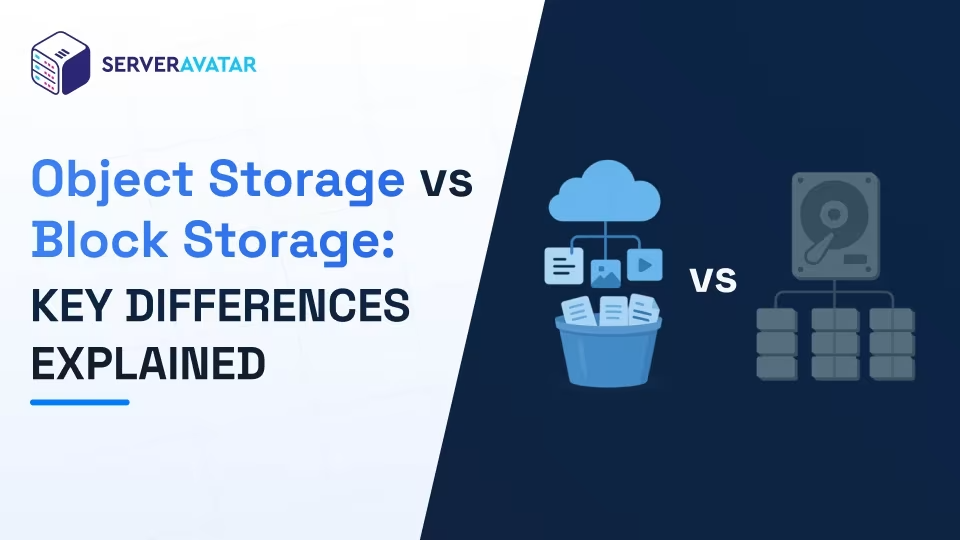
Cloud object storage and block storage serve fundamentally different purposes. Block storage works like a traditional hard drive, dividing data into fixed-size blocks that get stored across your infrastructure. Object storage, on the other hand, treats everything as individual objects with unique identifiers, perfect for unstructured data like images, videos, and documents. Think of block storage as a filing cabinet with labeled drawers, while object storage is more like a massive warehouse with a sophisticated cataloging system.
Cloud Object Storage Explained
Cloud object storage has revolutionized how businesses handle unstructured data. It’s built on the principle of storing data as discrete objects rather than organizing them hierarchically. Each object contains the data itself, metadata, and a unique identifier, making retrieval incredibly efficient regardless of how much data you accumulate.
The beauty of object storage lies in its scalability. You can store virtually unlimited amounts of data without worrying about the underlying infrastructure. Services like Amazon S3 have become industry standards because they handle massive scale effortlessly. Whether you’re storing millions of small files or enormous video libraries, object storage adapts to your needs without requiring complex management.
For unstructured data hosting, object storage truly shines. It’s ideal for backups, archives, media libraries, machine learning datasets, and log storage. The pricing model is straightforward—you pay for what you use—and there’s no need to provision specific capacity upfront. This flexibility makes it attractive for growing businesses that can’t predict their storage needs accurately.
Block Storage Characteristics and Use Cases
Block storage operates differently from object storage. It divides data into blocks of fixed sizes and stores them separately, often across multiple physical drives. This approach is fantastic for databases, virtual machines, and applications requiring high-speed, random access to data.
The primary advantage of block storage is performance. When an application needs to read or modify specific data portions, block storage delivers rapid access times. This makes it ideal for transactional databases, email servers, and real-time analytics applications. Server attached storage options using block storage can provide the performance your critical applications demand.
Block storage requires more active management than object storage. You need to provision specific amounts of capacity, monitor usage, and expand storage as needed. It’s less flexible for unpredictable workloads, but when you know you need consistent, high-performance access, it’s the superior choice.
AWS S3 Alternatives for Backups
While Amazon S3 dominates the object storage market, several excellent alternatives exist if you’re looking for AWS S3 alternatives for backups. Google Cloud Storage offers comparable features with potentially better pricing for certain use cases. Microsoft Azure Blob Storage integrates seamlessly if you’re already invested in the Azure ecosystem.
Backblaze B2 Cloud Storage provides a budget-friendly option with transparent pricing that often undercuts AWS on long-term storage. DigitalOcean Spaces offers simplicity and ease of use for developers who find S3’s interface overwhelming. MinIO provides an open-source, self-hosted alternative if data sovereignty or cost control are paramount concerns.
The key consideration for backup solutions is durability and reliability. All these alternatives offer multiple levels of redundancy and geographic distribution options. When selecting a backup solution, evaluate not just the storage cost but also retrieval speeds, compliance certifications, and vendor lock-in implications.
Scalable Unstructured Data Hosting Solutions
Scalable unstructured data hosting has become essential in today’s data-driven world. Most organizations generate exponentially more unstructured data than structured data, making robust hosting solutions critical. Object storage platforms excel at this because they’re designed from the ground up to handle massive scale.
When hosting unstructured data at scale, consider your access patterns. Data that’s frequently accessed requires different optimization than archival data. Some providers offer storage tiers—hot storage for active data, cool storage for infrequent access, and archive storage for rarely accessed backups. This tiered approach optimizes costs while maintaining performance where it matters.
Implementing a scalable hosting strategy involves more than just choosing a platform. You should establish clear data governance policies, implement proper backup strategies, and monitor your infrastructure continuously. Automation becomes crucial when managing enormous datasets across distributed systems.
Server Attached Storage Options
Server attached storage options remain relevant for organizations requiring specific control and performance characteristics. Direct attached storage (DAS) using NAS or SAN solutions provides dedicated storage connected directly to servers, offering predictable performance and lower latency.
Some scenarios favor server attached storage over cloud solutions. If you have stringent compliance requirements, need absolute control over your infrastructure, or work with sensitive data where cloud storage feels risky, attached storage might be your answer. Many enterprises use a hybrid approach, combining local attached storage for critical systems with cloud storage for backups and archives.
Modern server attached storage solutions offer impressive capabilities. You can implement RAID configurations for redundancy, use solid-state drives for performance, and integrate with your existing infrastructure seamlessly. The tradeoff is that you handle the operational burden—backups, maintenance, and disaster recovery fall on your team.
Making Your Storage Decision
Choosing between these storage options isn’t about finding the universally best solution—it’s about matching technology to your specific requirements. Ask yourself key questions: What type of data am I storing? How often do I access it? What performance do I require? What are my compliance obligations? What’s my budget?
Many successful organizations use multiple storage solutions simultaneously. They might use block storage for database operations, object storage for backups and archives, and attached storage for specific high-security applications. This polyglot approach leverages the strengths of each technology.
Start by understanding your current and projected storage needs. Monitor your growth patterns and adjust accordingly. The cloud storage landscape continues evolving rapidly, with new options and pricing models emerging regularly. Stay informed about these changes to ensure your infrastructure remains cost-effective and performant as your business grows.
Thank you for reading! We hope this comparison helps you design a more efficient, scalable infrastructure for your digital assets.
Internal Link: https://congresodewebmasters.com/what-is-raid-server-storage-types-differences/
External Link: https://congresodewebmasters.com/cloud-object-storage-vs-block-storage/
Leave a Reply